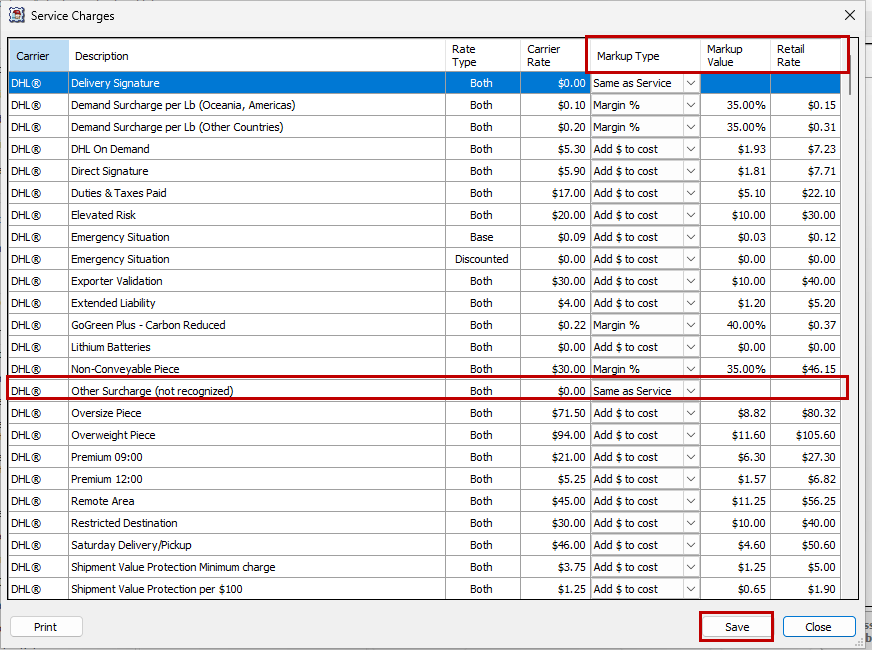
1. Click Tools, point to Markups and choose what to price: Carrier Envelope, Flat Rate Boxes, First Class Flats, Parcels, Service Charges or Stamps.
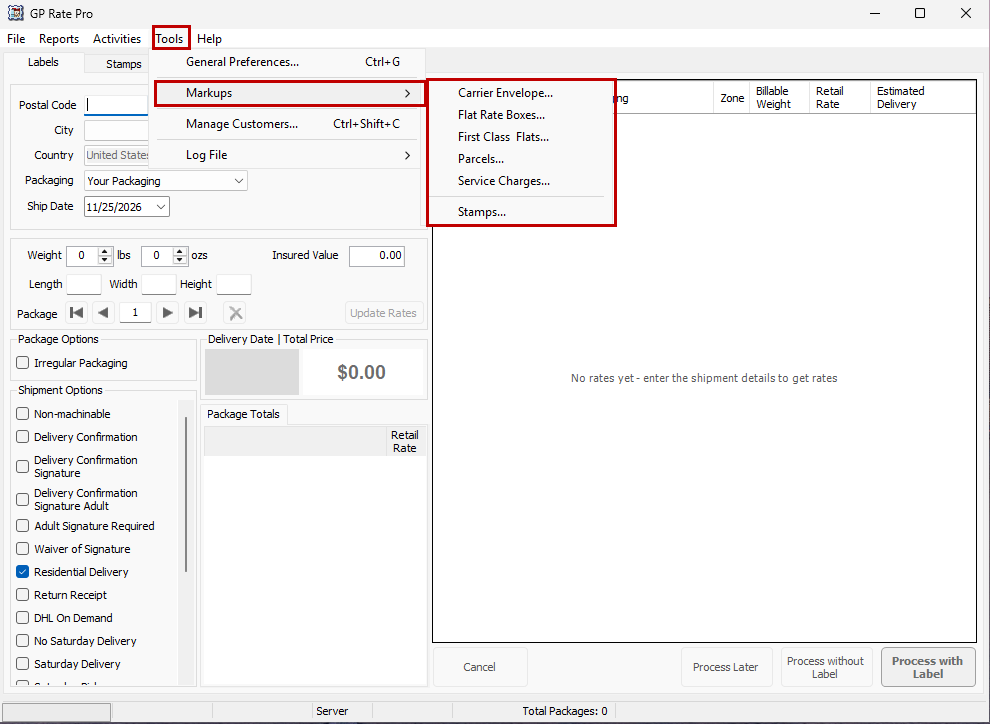
2. In Parcels, click a service on the left (tick Enabled to offer it). On the right, each row is a weight range (From lbs. / To lbs.) with a Markup Type and Value: Margin % (your share of the retail price), Markup % (a percentage added to your cost) or Add $ to cost (a fixed amount). Allow < Published lets the price go below the carrier’s published rate. Click Save.
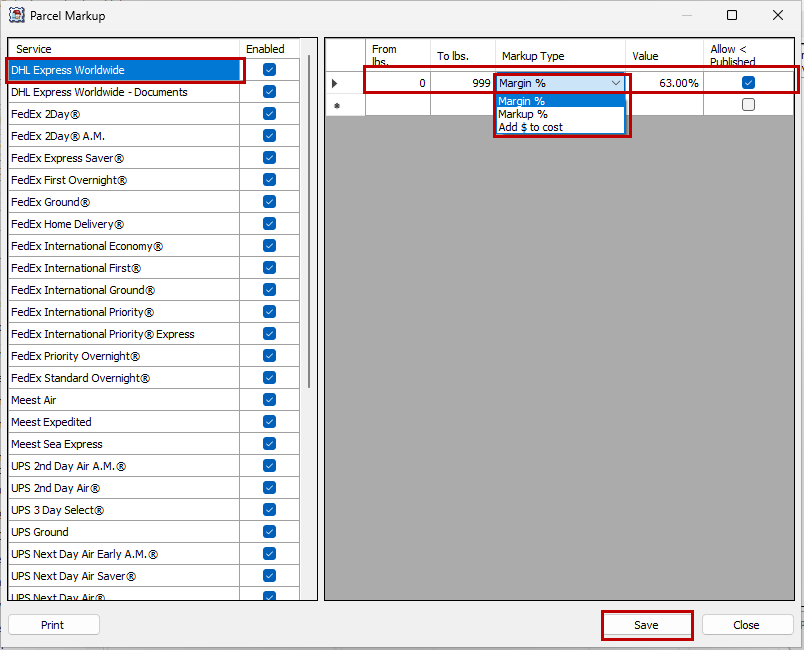
3. In Service Charges, every carrier fee (signatures, residential, surcharges and so on) has its own line with a Markup Type and Markup Value, and shows the resulting Retail Rate. Same as Service prices the fee like the shipping service. Each carrier’s Other Surcharge (not recognized) line prices brand-new carrier fees until they get a line of their own. Click Save.