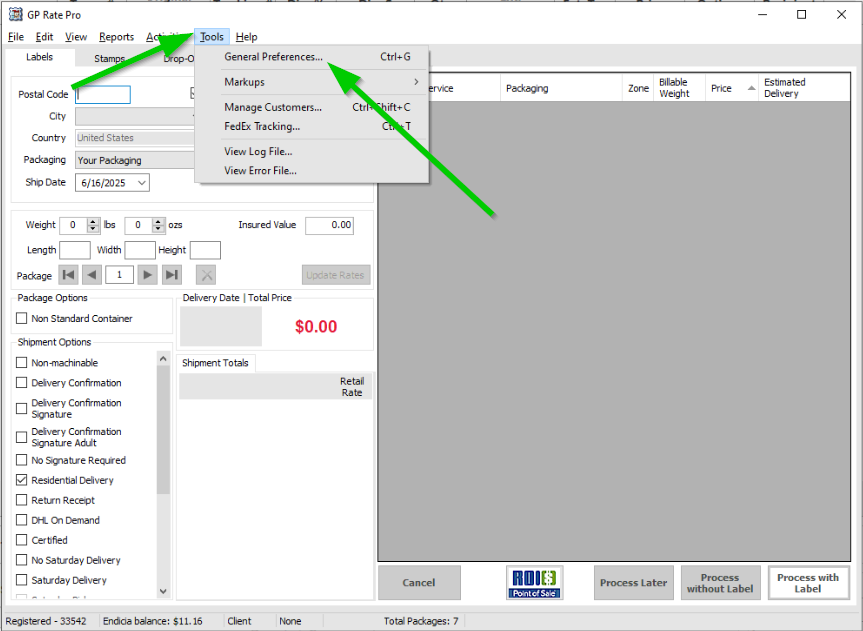
1. Click on Tools, then select General Preferences.
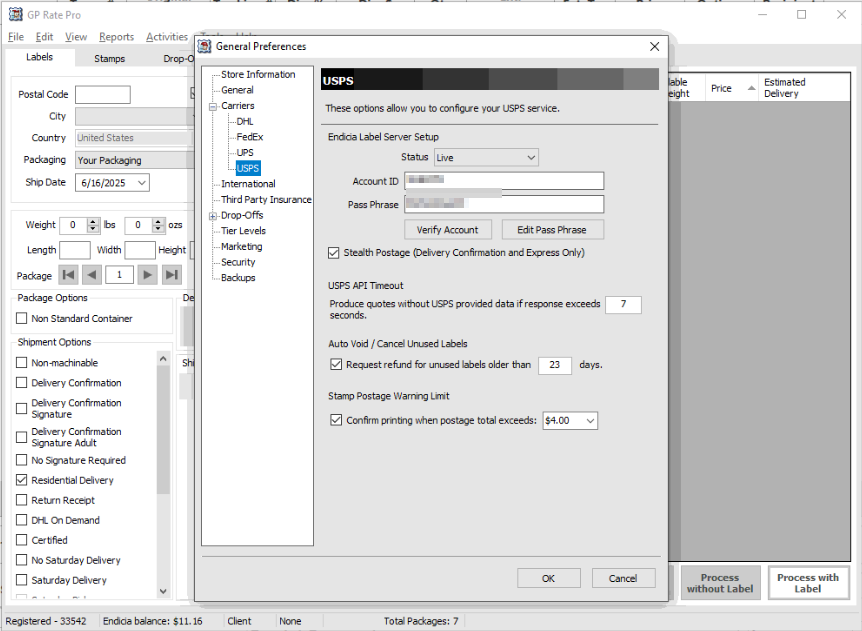
2. Select USPS.
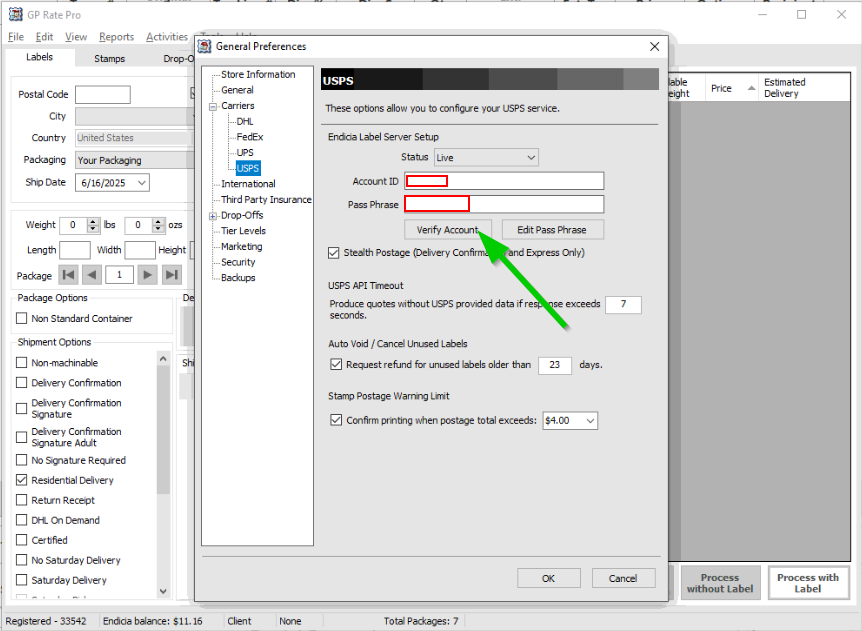
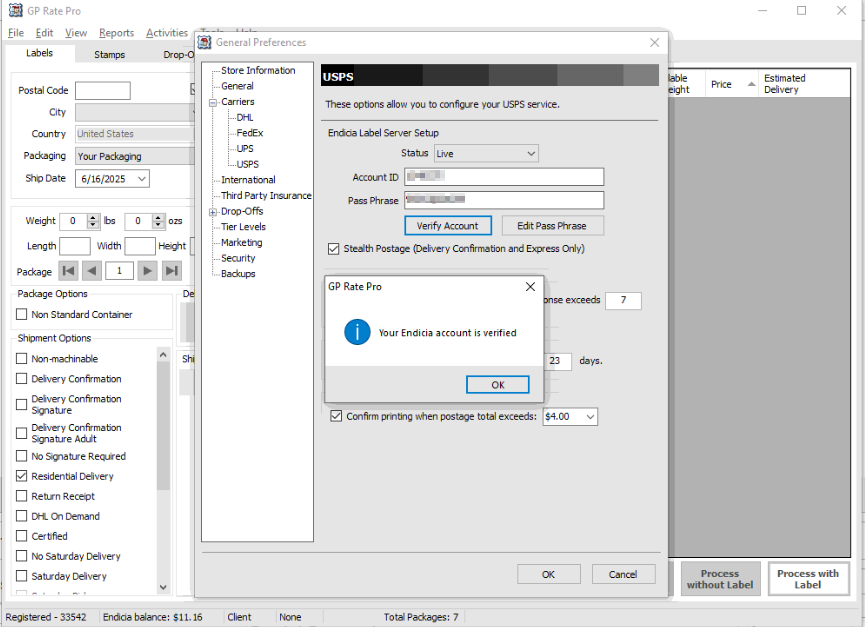
3. Configure your USPS service. In section Endicia Label Server Setup put Account ID and Pass Phrase. Then click Verify Account.
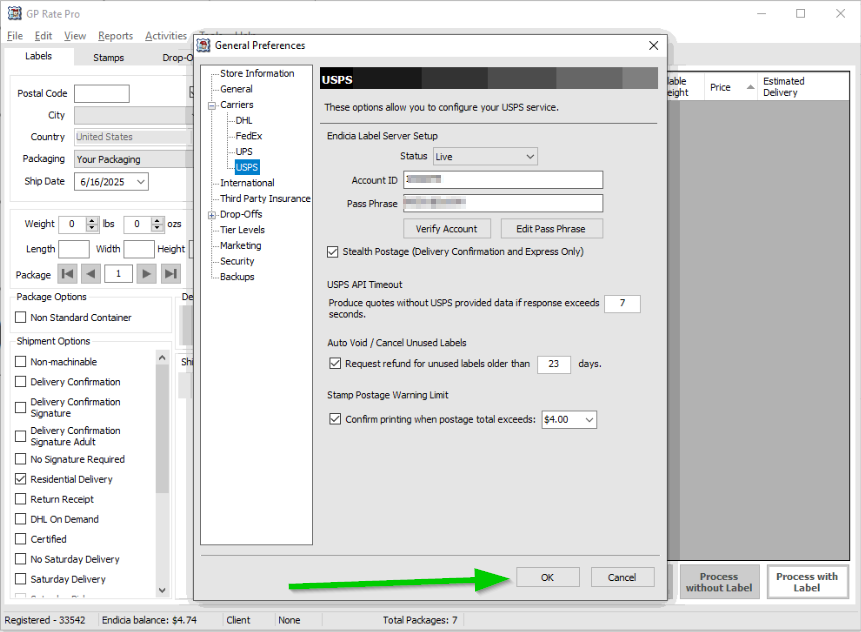
5. After you receive a message that your Endicia Account is verified, click OK.
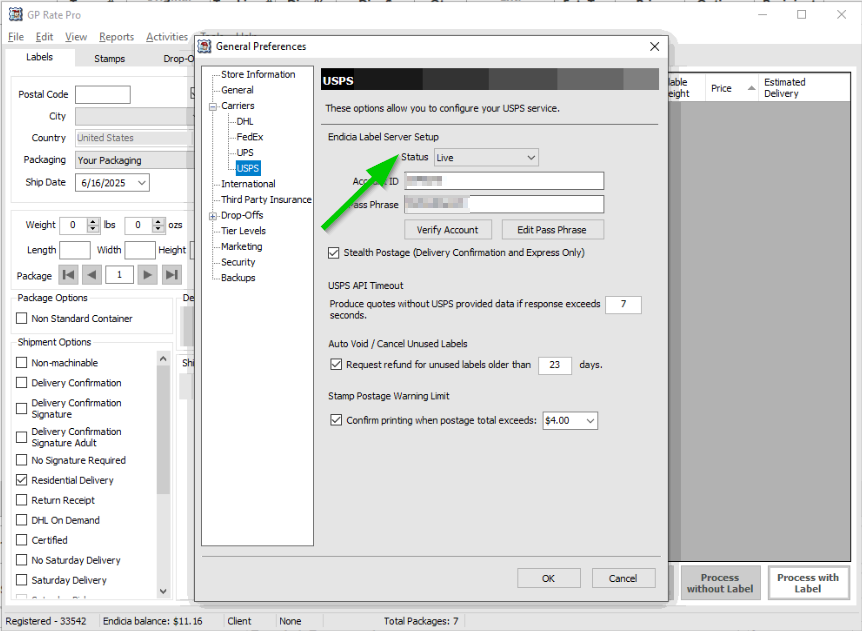
7. Set Status to Live when you are in production.
8. Put a check mark into a box Stealth Postage (Delivery Confirmation and Express Only).
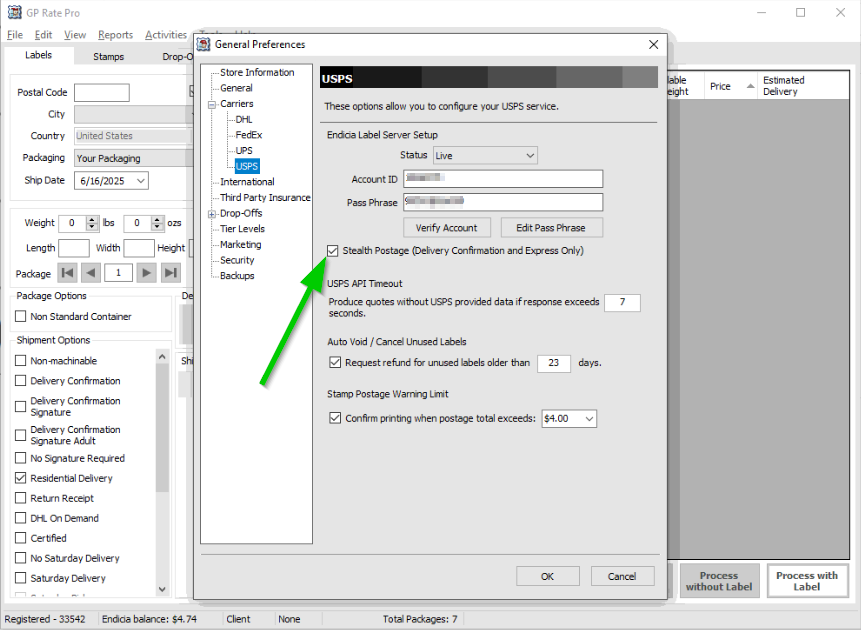
10. Then click OK button.