Notice: fwrite(): Write of 618 bytes failed with errno=28 No space left on device in /home/gpratepro/htdocs/gpratepro.com/wp-content/plugins/wordfence/vendor/wordfence/wf-waf/src/lib/storage/file.php on line 42
How to create a SCAN Form – gpratepro.com

How to create a SCAN Form

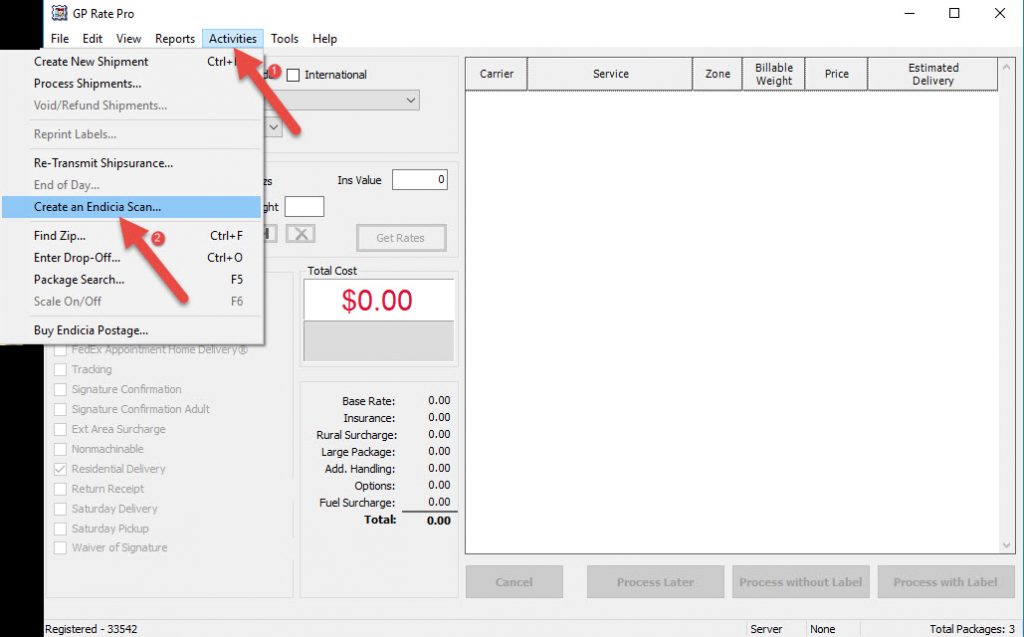
  1. In GP Rate Pro go to Activities and select Create and Endicia Scan.


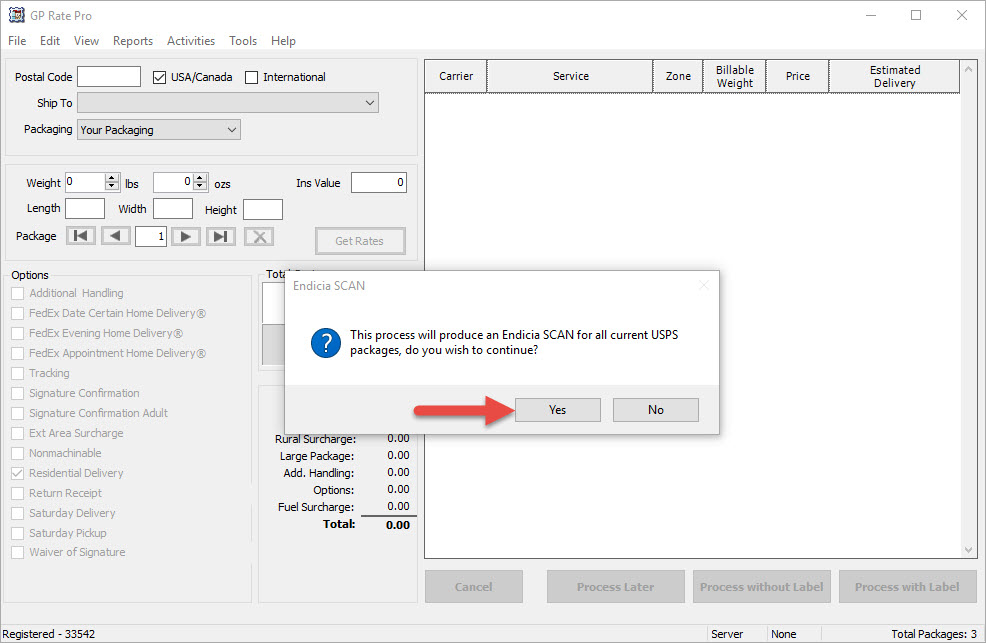
2. A dialog box will show a question “This process will produce an Endicia SCAN for all current USPS packages, do you wish to continue?”.  Click Yes.
 

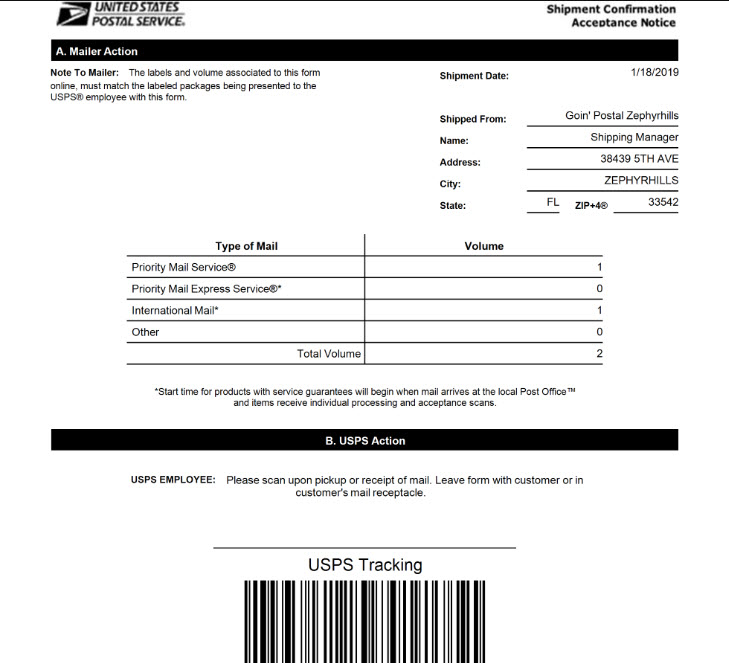
3. Next, you will see Shipment Confirmation Acceptance Notice.
 

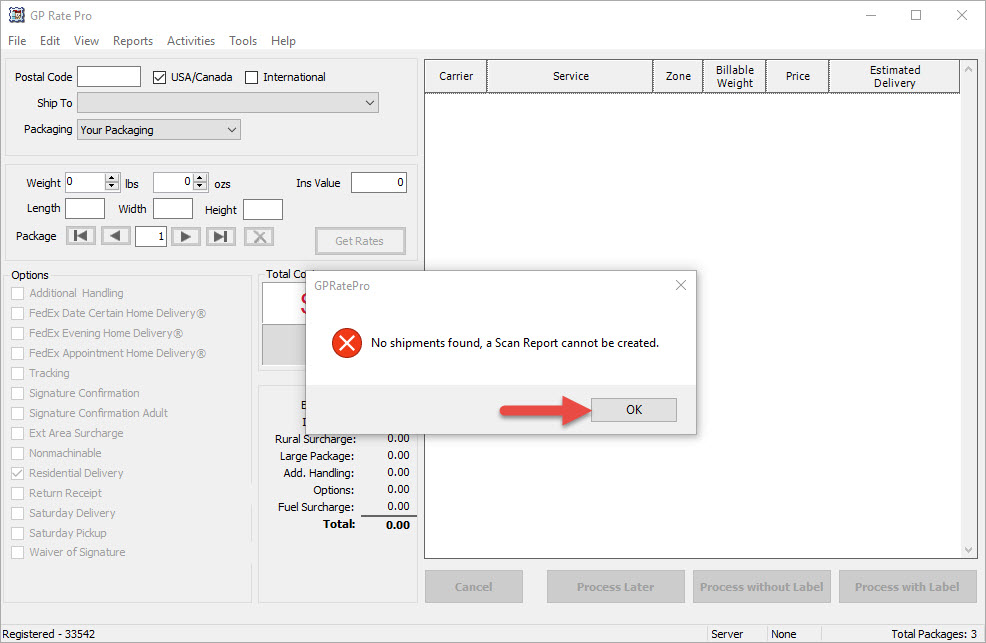
4. If there are not shipments found, a message will appear “No shipments found, a Scan Report cannot be created.” Click OK to dismiss.


What are your feelings
Updated on October 17, 2018

Fatal error: Uncaught wfWAFStorageFileException: Unable to verify temporary file contents for atomic writing. in /home/gpratepro/htdocs/gpratepro.com/wp-content/plugins/wordfence/vendor/wordfence/wf-waf/src/lib/storage/file.php:51 Stack trace: #0 /home/gpratepro/htdocs/gpratepro.com/wp-content/plugins/wordfence/vendor/wordfence/wf-waf/src/lib/storage/file.php(658): wfWAFStorageFile::atomicFilePutContents() #1 [internal function]: wfWAFStorageFile->saveConfig() #2 {main} thrown in /home/gpratepro/htdocs/gpratepro.com/wp-content/plugins/wordfence/vendor/wordfence/wf-waf/src/lib/storage/file.php on line 51