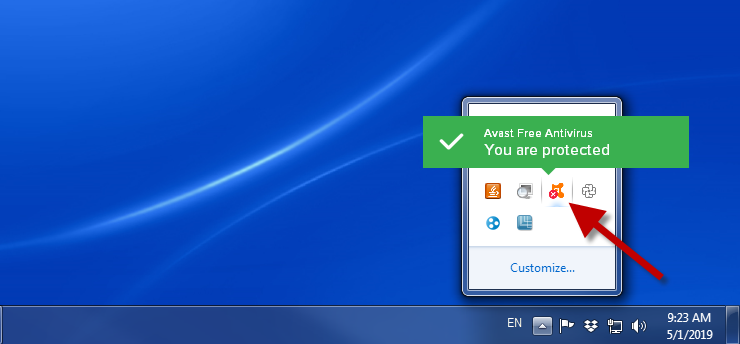
- Go to Avast antivirus on your computer.
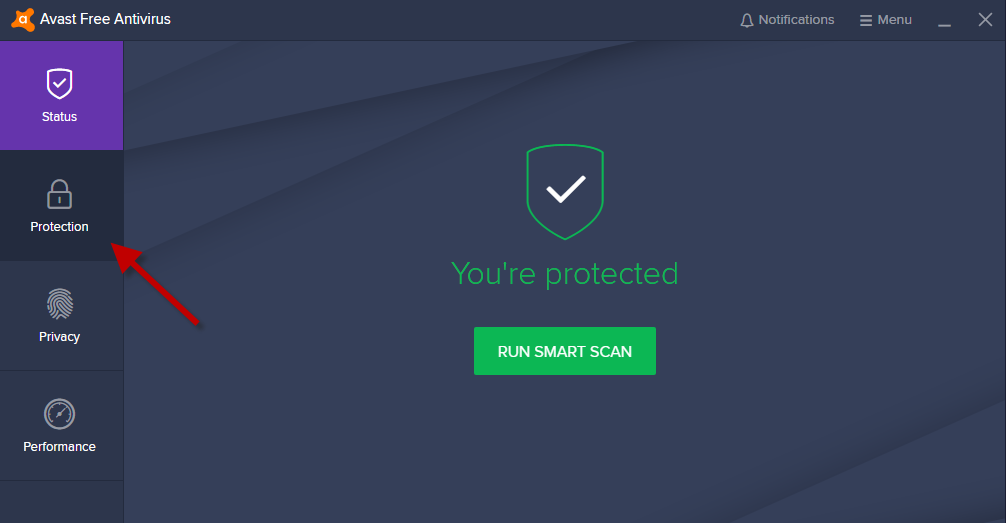
2. Click on Protection.
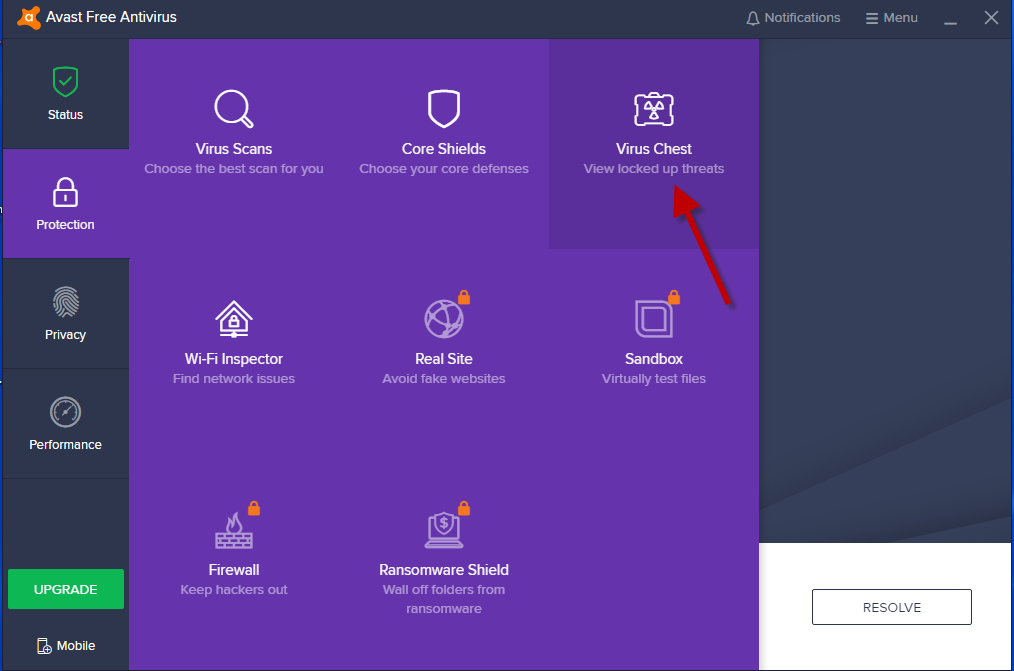
3. Next, click on Virus Chest.
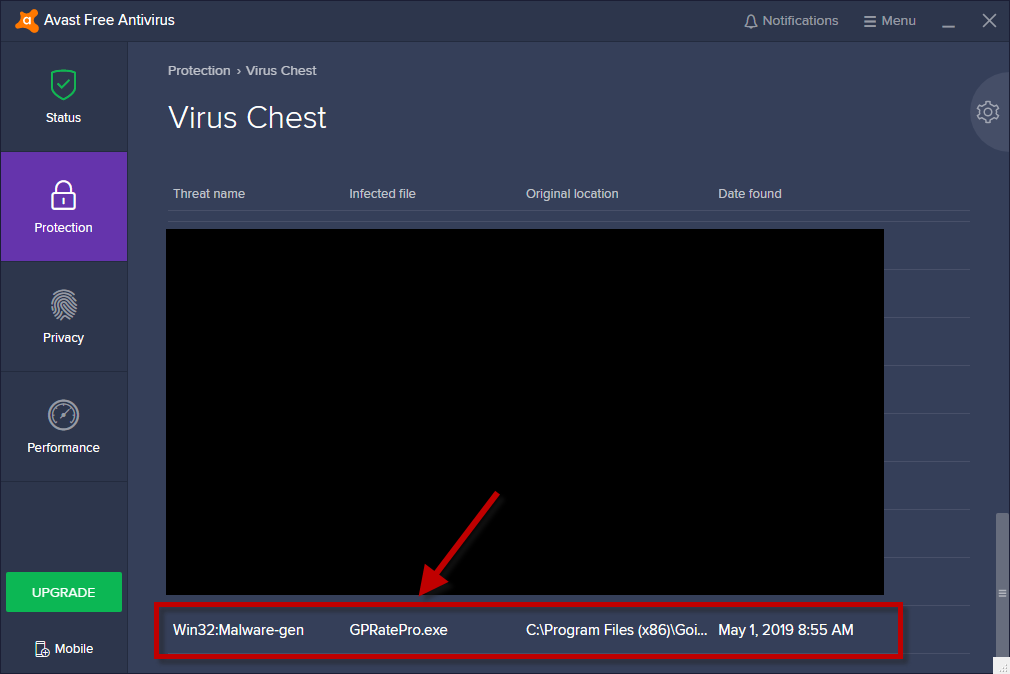
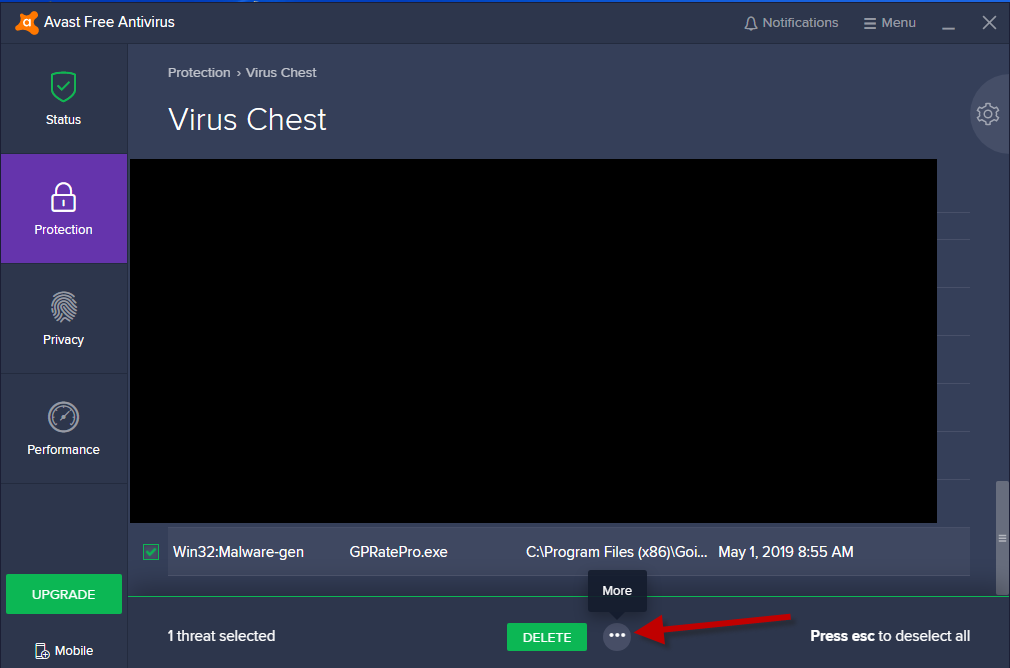
4. Select GPRatePro.exe.
5. Next, select More.
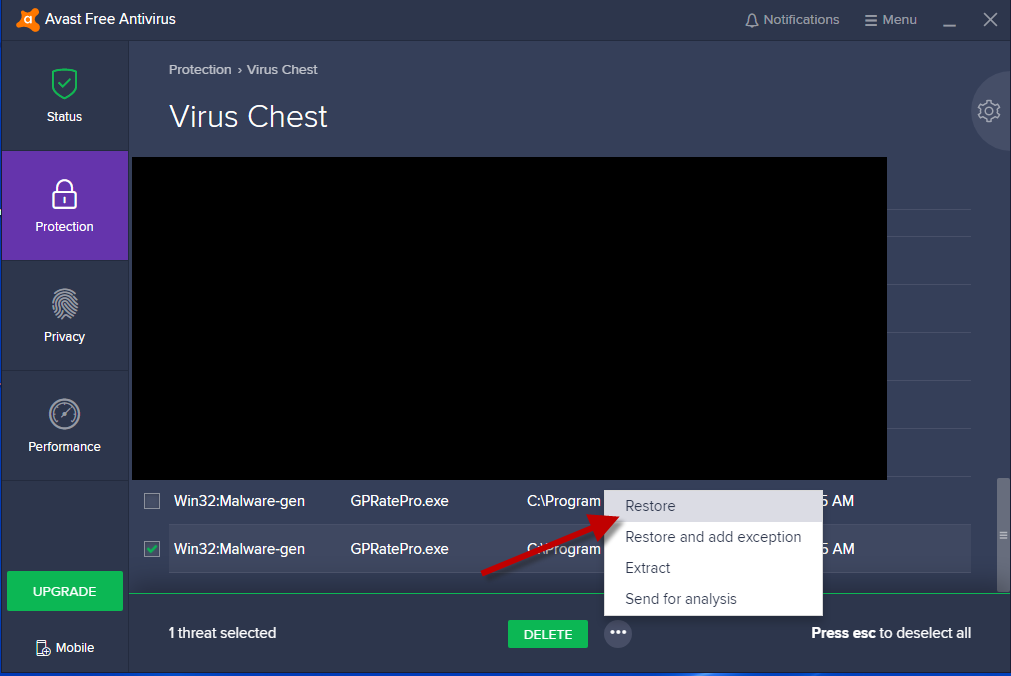
6. Click on Restore.
7. You will see a dialog window File successfully restored. Click on Close.
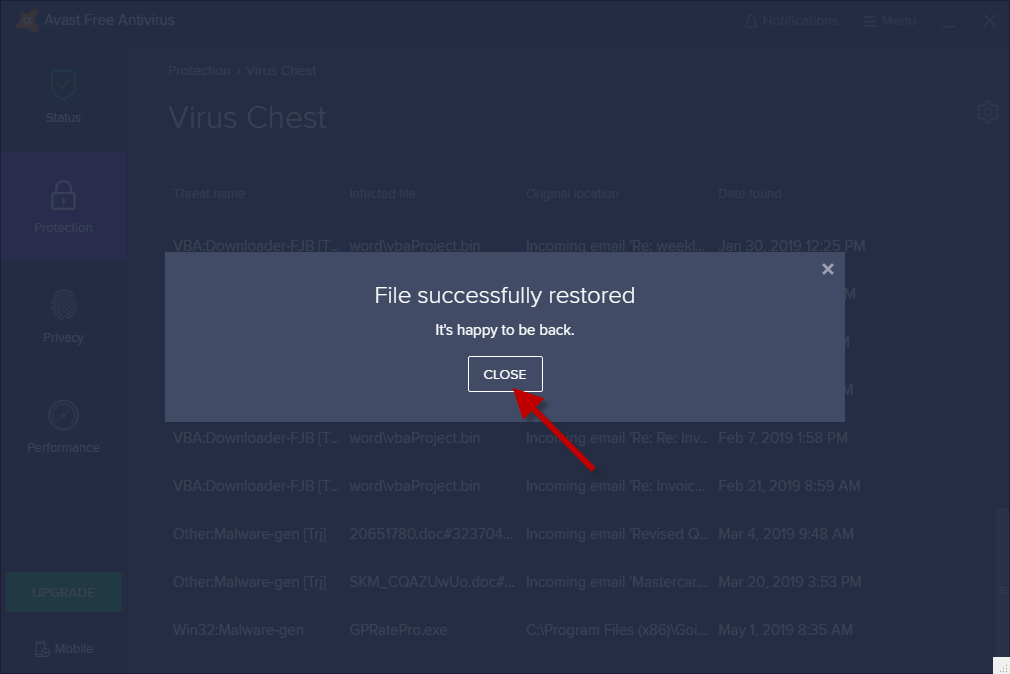
8. File GPratePro.exe is restored now.


