Notice: fwrite(): Write of 618 bytes failed with errno=28 No space left on device in /home/gpratepro/htdocs/gpratepro.com/wp-content/plugins/wordfence/vendor/wordfence/wf-waf/src/lib/storage/file.php on line 42
How to Create an Exception for GP Rate Pro in Avast Antivirus – gpratepro.com

How to Create an Exception for GP Rate Pro in Avast Antivirus

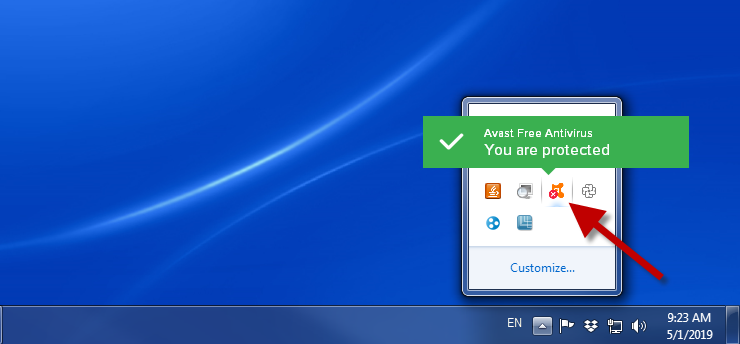
  1. Click on Avast Antivirus icon on your computer.
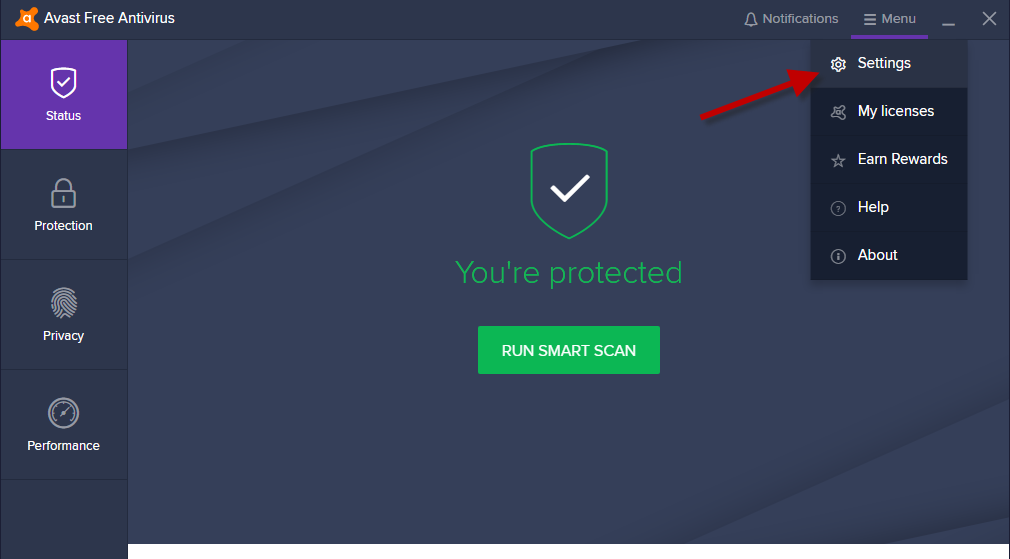
2. Go to Menu and select Settings.
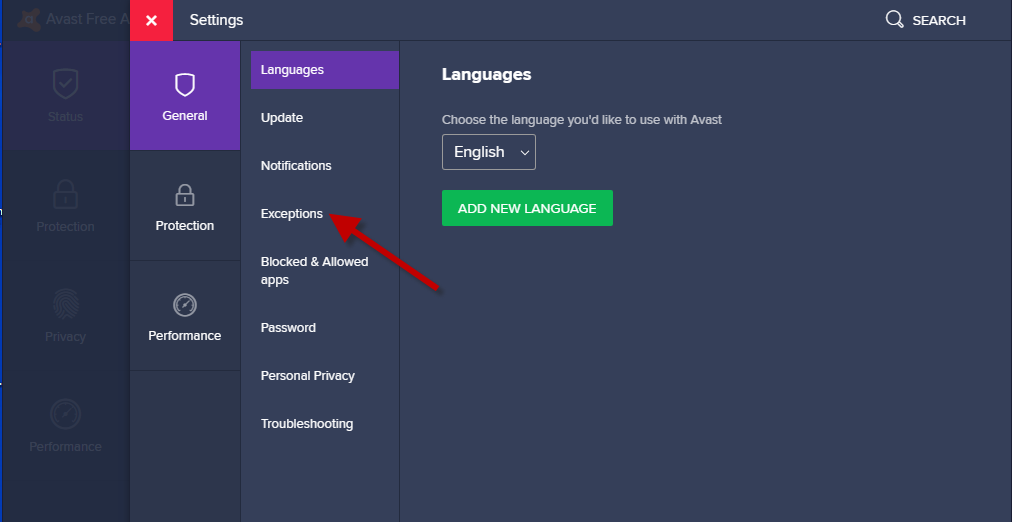
3. Next, click on Exceptions.
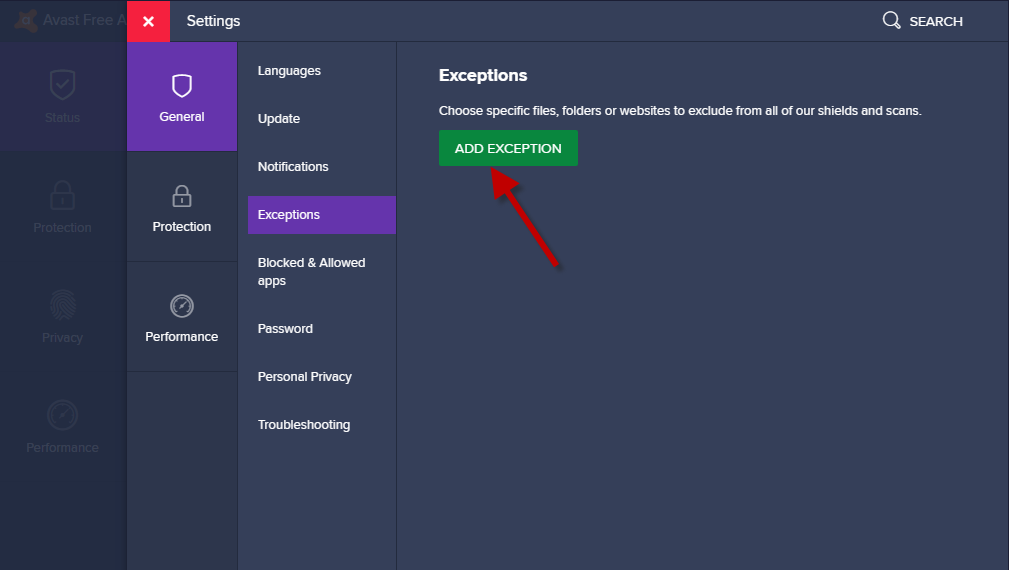
4. Then click on Add Exception.
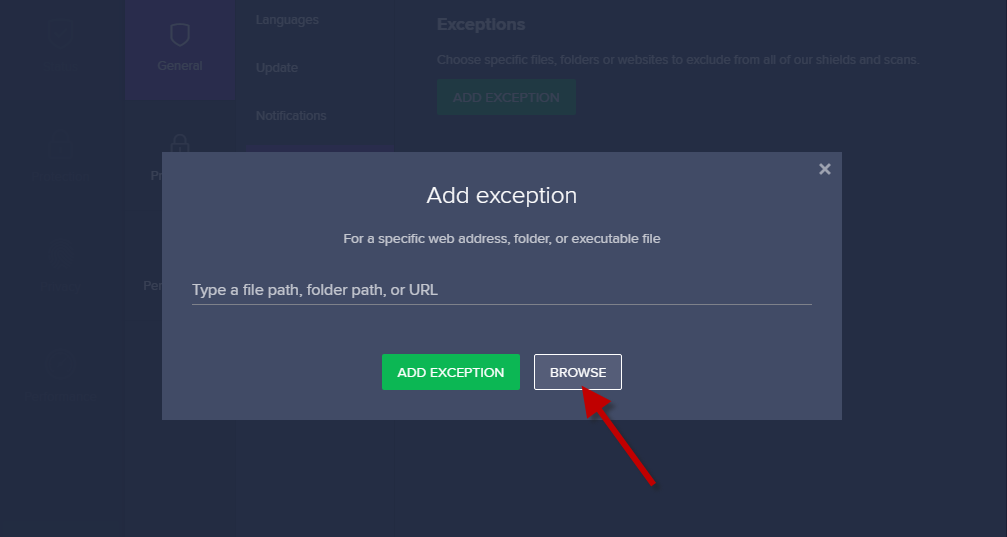
5. After that you will see a dialog window Add exception. Click on Browse.
6. Select  Path  C:Program Files (x86)Goin PostalGP Rate Pro, then click OK.
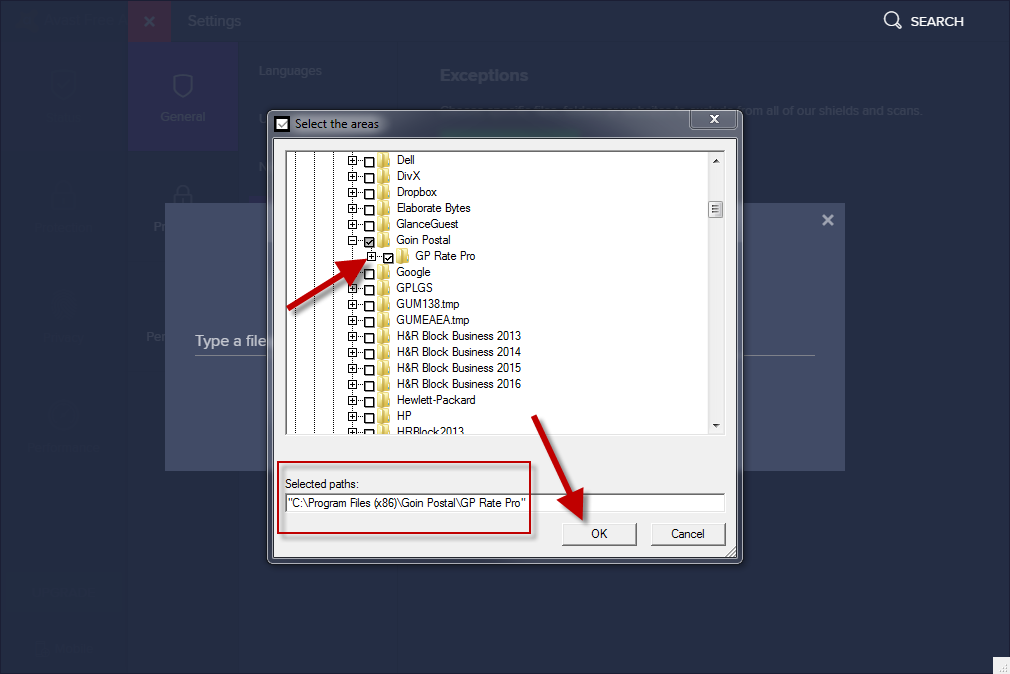
7. You have created an exception for GP Rate Pro in Avast Antivirus. Next, you will need to restore deleted  by Avast antivirus  GPRatePro.exe file.

What are your feelings
Updated on May 1, 2019

Fatal error: Uncaught wfWAFStorageFileException: Unable to verify temporary file contents for atomic writing. in /home/gpratepro/htdocs/gpratepro.com/wp-content/plugins/wordfence/vendor/wordfence/wf-waf/src/lib/storage/file.php:51 Stack trace: #0 /home/gpratepro/htdocs/gpratepro.com/wp-content/plugins/wordfence/vendor/wordfence/wf-waf/src/lib/storage/file.php(658): wfWAFStorageFile::atomicFilePutContents() #1 [internal function]: wfWAFStorageFile->saveConfig() #2 {main} thrown in /home/gpratepro/htdocs/gpratepro.com/wp-content/plugins/wordfence/vendor/wordfence/wf-waf/src/lib/storage/file.php on line 51