Notice: fwrite(): Write of 618 bytes failed with errno=28 No space left on device in /home/gpratepro/htdocs/gpratepro.com/wp-content/plugins/wordfence/vendor/wordfence/wf-waf/src/lib/storage/file.php on line 42
How to Restore GP Rate Pro Icon – gpratepro.com

How to Restore GP Rate Pro Icon

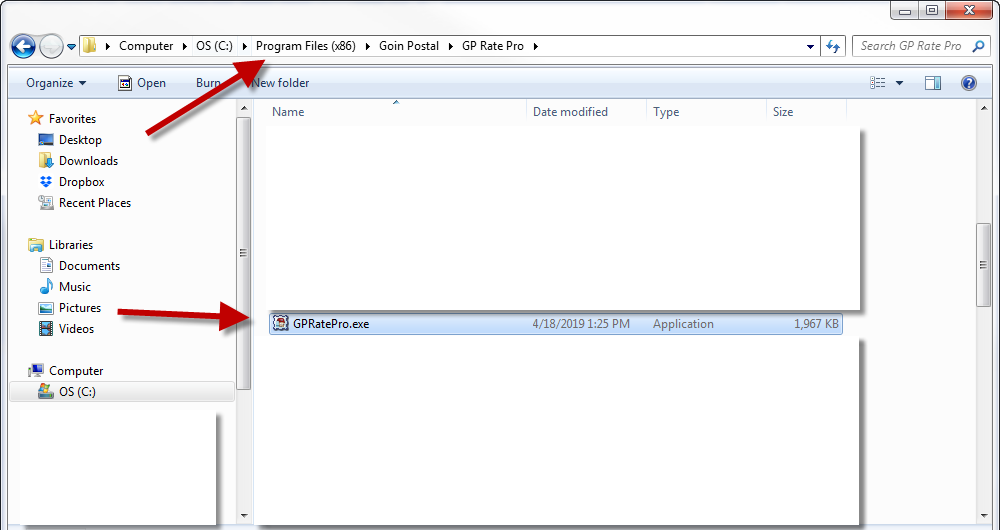
  1. Go to GPRatePro.exe file on your computer by following the path:  Computer – OS (C): – Program Files (x86) – Goin Postal -GP Rate Pro.
 

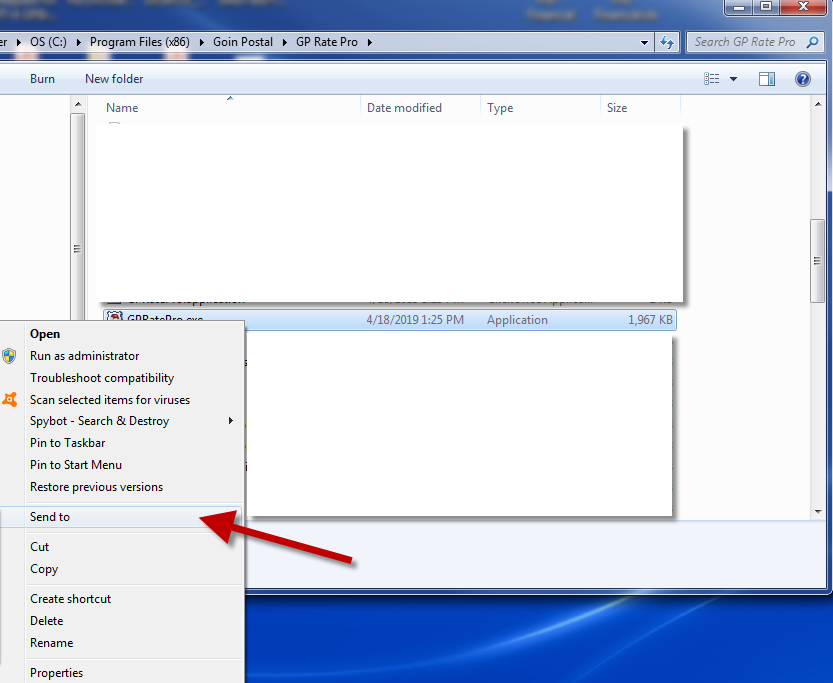
2. Right click on GPRatePro.exe. In the drop-down window select Send to.
 

3. Next, select Desktop (create shortcut).
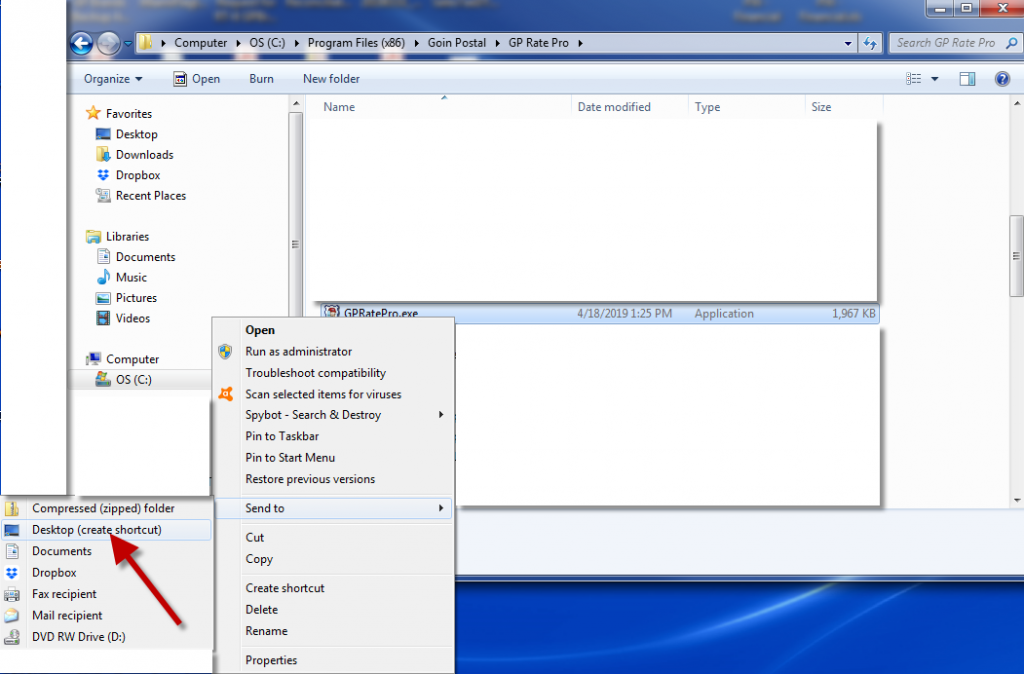
4. Shortcut has been created.

What are your feelings
Updated on May 1, 2019

Fatal error: Uncaught wfWAFStorageFileException: Unable to verify temporary file contents for atomic writing. in /home/gpratepro/htdocs/gpratepro.com/wp-content/plugins/wordfence/vendor/wordfence/wf-waf/src/lib/storage/file.php:51 Stack trace: #0 /home/gpratepro/htdocs/gpratepro.com/wp-content/plugins/wordfence/vendor/wordfence/wf-waf/src/lib/storage/file.php(658): wfWAFStorageFile::atomicFilePutContents() #1 [internal function]: wfWAFStorageFile->saveConfig() #2 {main} thrown in /home/gpratepro/htdocs/gpratepro.com/wp-content/plugins/wordfence/vendor/wordfence/wf-waf/src/lib/storage/file.php on line 51