Notice: fwrite(): Write of 618 bytes failed with errno=28 No space left on device in /home/gpratepro/htdocs/gpratepro.com/wp-content/plugins/wordfence/vendor/wordfence/wf-waf/src/lib/storage/file.php on line 42
Getting started with Endicia Label Server in GP Rate Pro – gpratepro.com

Getting started with Endicia Label Server in GP Rate Pro

1. Click on Tools, then select General Preferences.
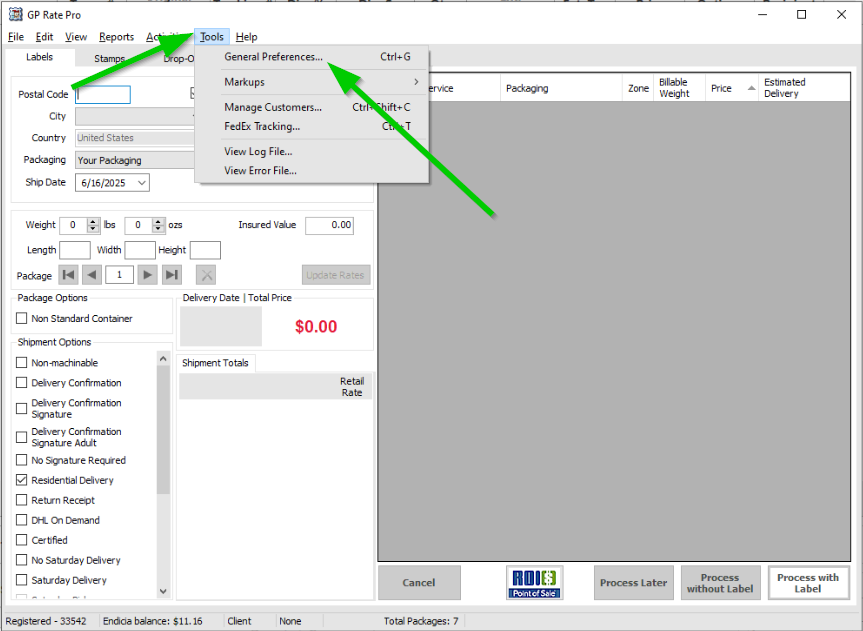
2. Select USPS.
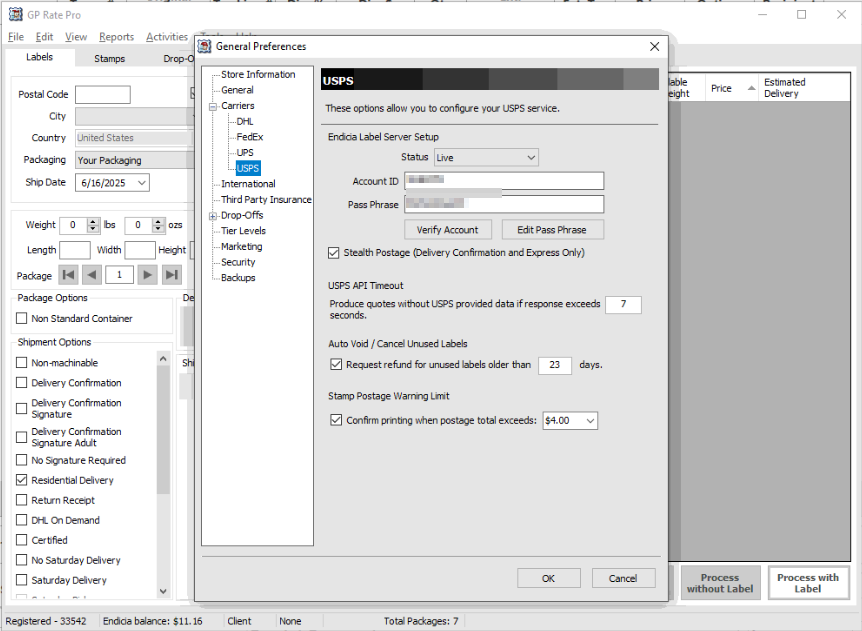
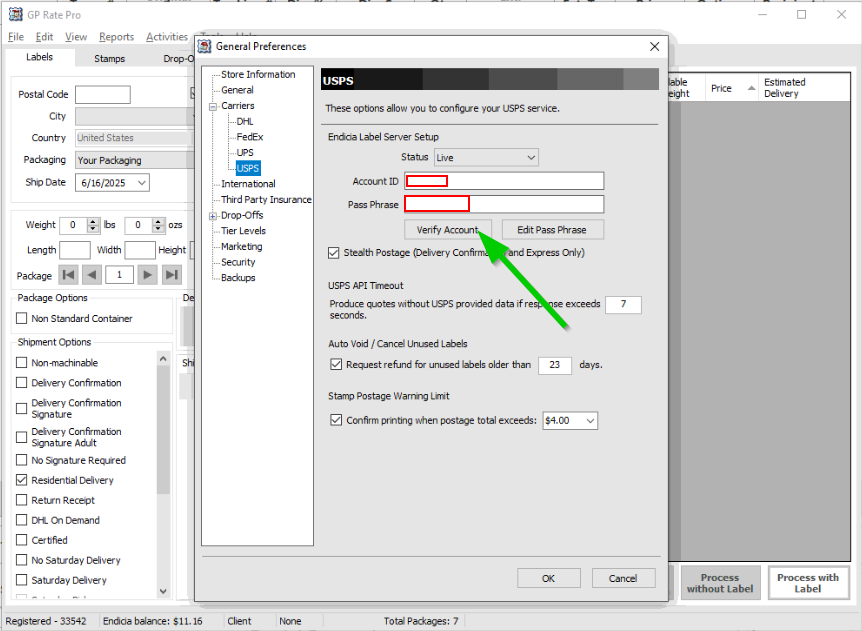
3. Configure your USPS service. In section Endicia Label Server Setup put Account ID and Pass Phrase. Then click Verify Account.
5. After you receive a message that your Endicia Account is verified,  click OK.
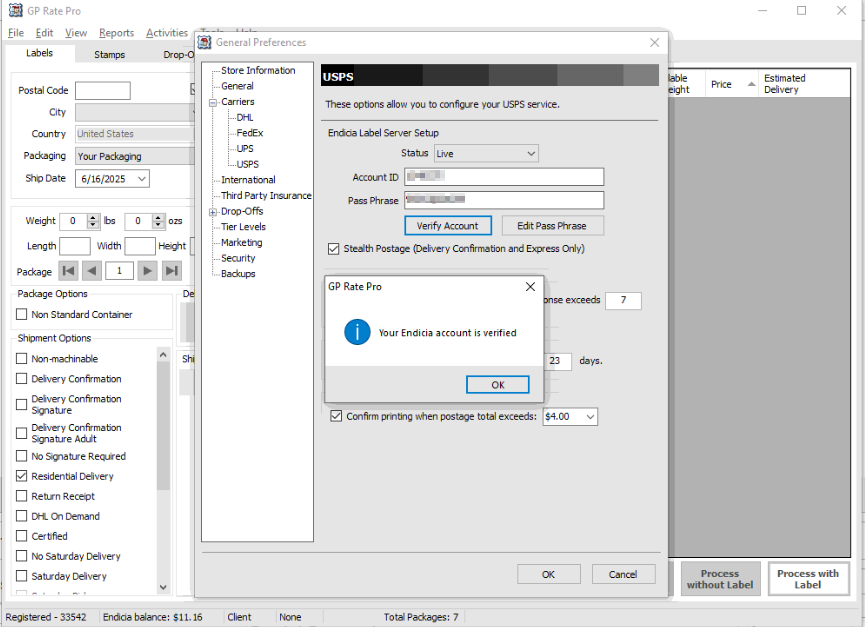
7. Set Status to Live when you are in production.
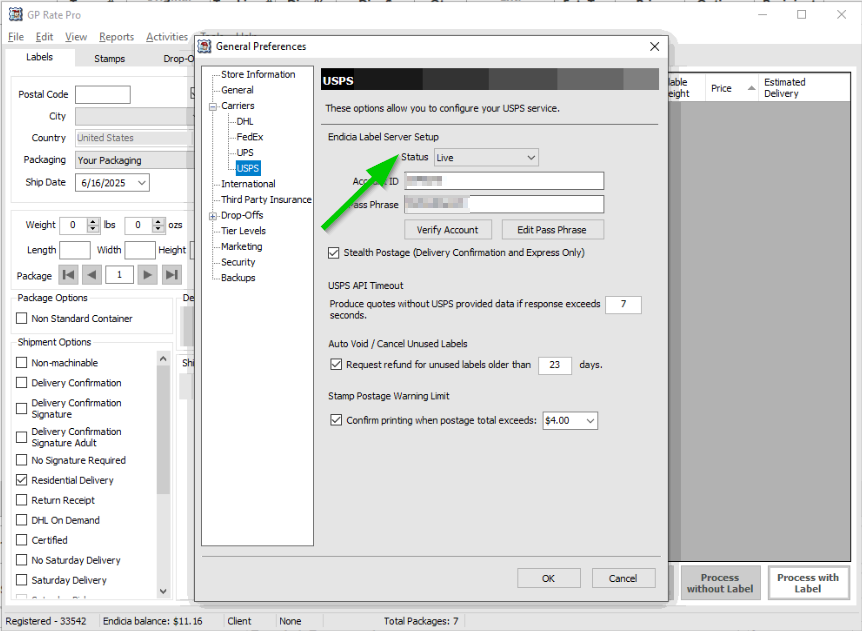
8. Put a check mark into a box Stealth Postage (Delivery Confirmation and Express Only).
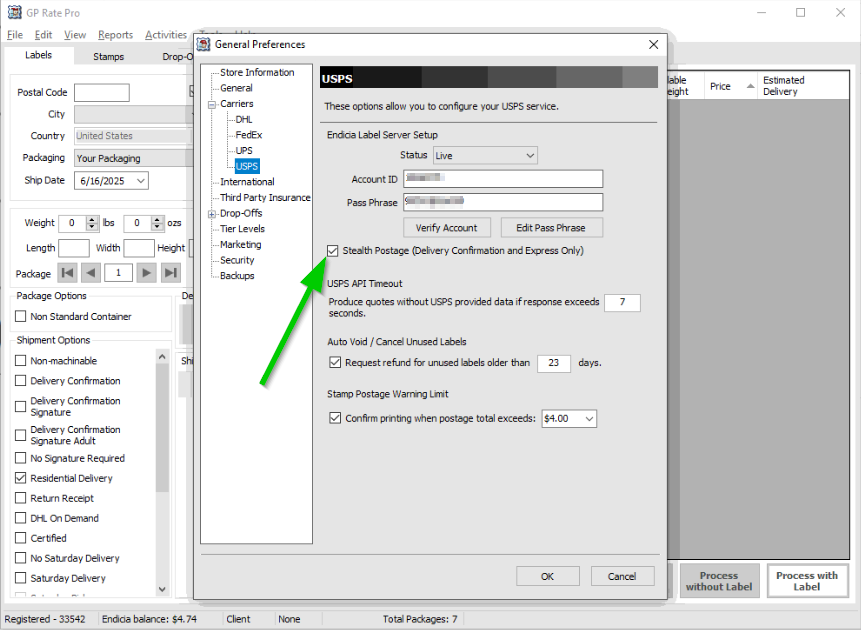
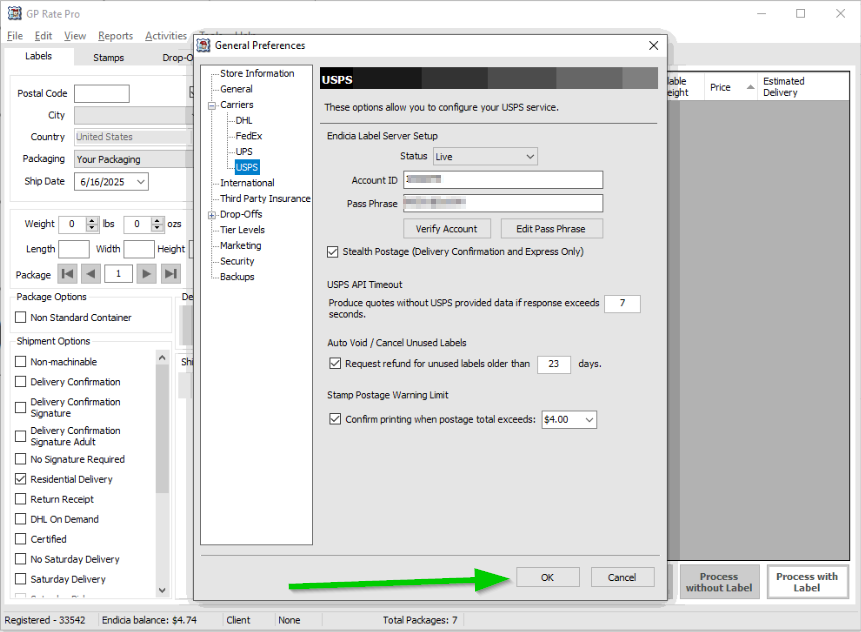
10. Then click OK button.
What are your feelings
Updated on June 17, 2025

Fatal error: Uncaught wfWAFStorageFileException: Unable to verify temporary file contents for atomic writing. in /home/gpratepro/htdocs/gpratepro.com/wp-content/plugins/wordfence/vendor/wordfence/wf-waf/src/lib/storage/file.php:51 Stack trace: #0 /home/gpratepro/htdocs/gpratepro.com/wp-content/plugins/wordfence/vendor/wordfence/wf-waf/src/lib/storage/file.php(658): wfWAFStorageFile::atomicFilePutContents() #1 [internal function]: wfWAFStorageFile->saveConfig() #2 {main} thrown in /home/gpratepro/htdocs/gpratepro.com/wp-content/plugins/wordfence/vendor/wordfence/wf-waf/src/lib/storage/file.php on line 51