Notice: fwrite(): Write of 618 bytes failed with errno=28 No space left on device in /home/gpratepro/htdocs/gpratepro.com/wp-content/plugins/wordfence/vendor/wordfence/wf-waf/src/lib/storage/file.php on line 42
How to ship commercial packages with store UK VAT Number – gpratepro.com

How to ship commercial packages with store UK VAT Number

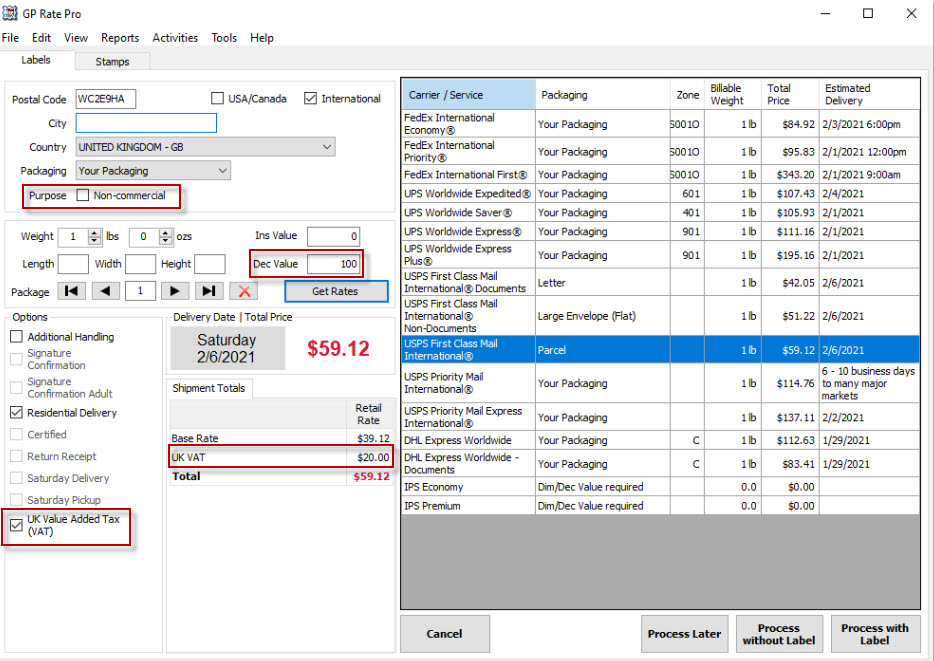
  1. Put destination.
  2. Make sure Box Purpose Non-commercial is unchecked.
  3. Put declared value.
  4. Pay attention to the Options Section. UK Value Added Tax (VAT) box should be checked.
  5. UK VAT rate is shown in the Shipment Total section. This amount is paid by store.
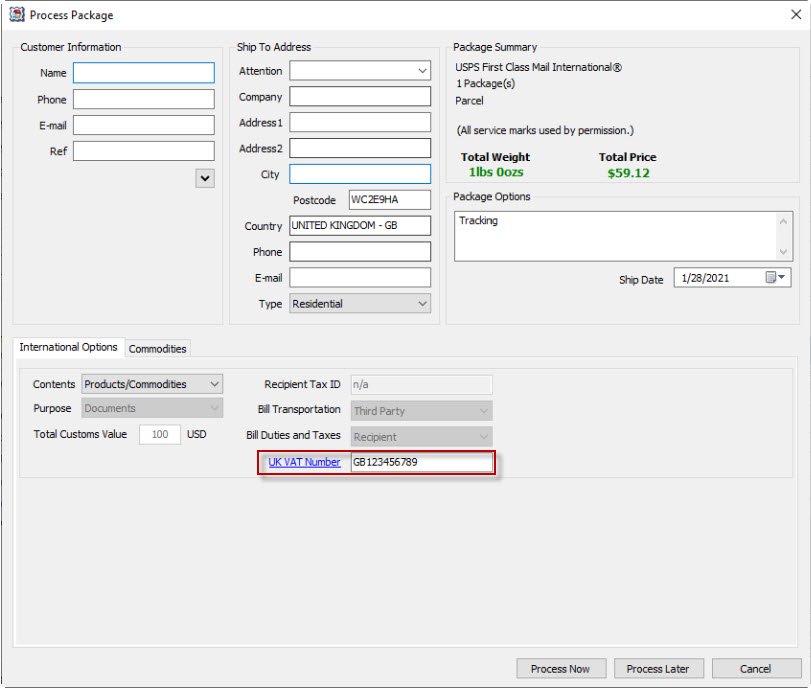
6. UK VAT Number is shown in the International Options section of the Process Package window. For more information on shipping commercial packages to UK in 2021, click on the blue link UK VAT Number.
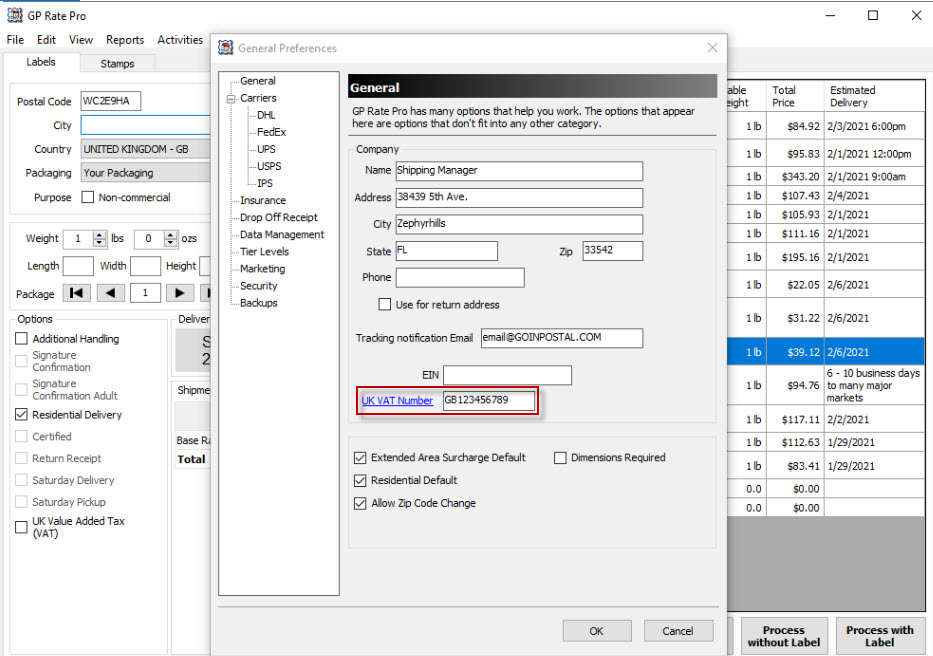
7. UK VAT Number field is autopopulated from General Preferences.
8. For more information about UK VAT number and how to get it go to https://endicia.custhelp.com/app/answers/detail/a_id/7318


What are your feelings
Updated on February 1, 2021

Fatal error: Uncaught wfWAFStorageFileException: Unable to verify temporary file contents for atomic writing. in /home/gpratepro/htdocs/gpratepro.com/wp-content/plugins/wordfence/vendor/wordfence/wf-waf/src/lib/storage/file.php:51 Stack trace: #0 /home/gpratepro/htdocs/gpratepro.com/wp-content/plugins/wordfence/vendor/wordfence/wf-waf/src/lib/storage/file.php(658): wfWAFStorageFile::atomicFilePutContents() #1 [internal function]: wfWAFStorageFile->saveConfig() #2 {main} thrown in /home/gpratepro/htdocs/gpratepro.com/wp-content/plugins/wordfence/vendor/wordfence/wf-waf/src/lib/storage/file.php on line 51