Notice: fwrite(): Write of 618 bytes failed with errno=28 No space left on device in /home/gpratepro/htdocs/gpratepro.com/wp-content/plugins/wordfence/vendor/wordfence/wf-waf/src/lib/storage/file.php on line 42
How to copy data from a cell within package search – gpratepro.com

How to copy data from a cell within package search

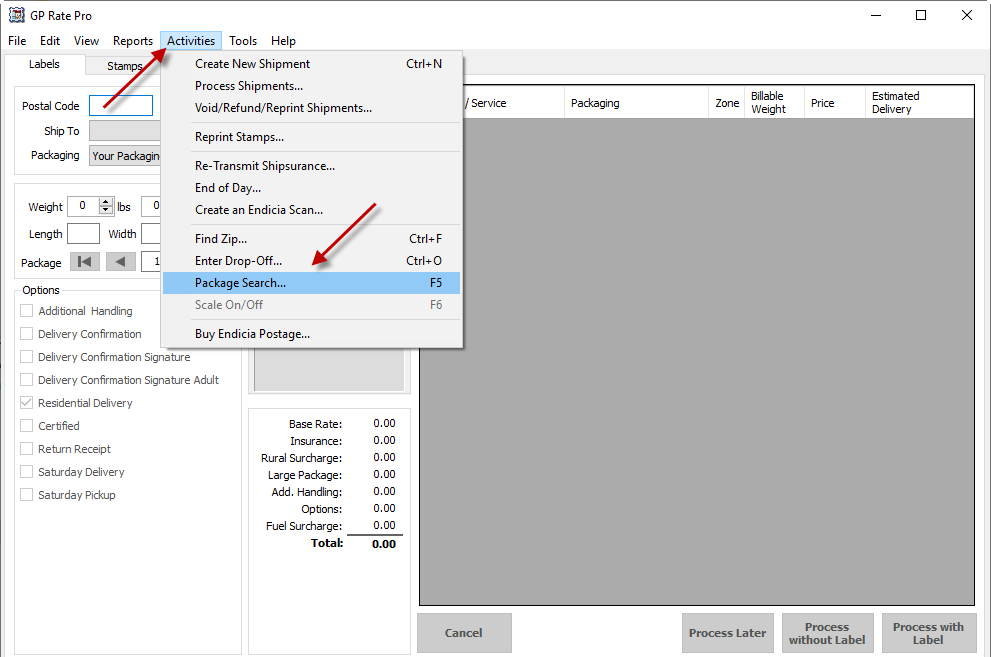
  1. Open GP Rate Pro, then go to Activities and click on Package Search.
 

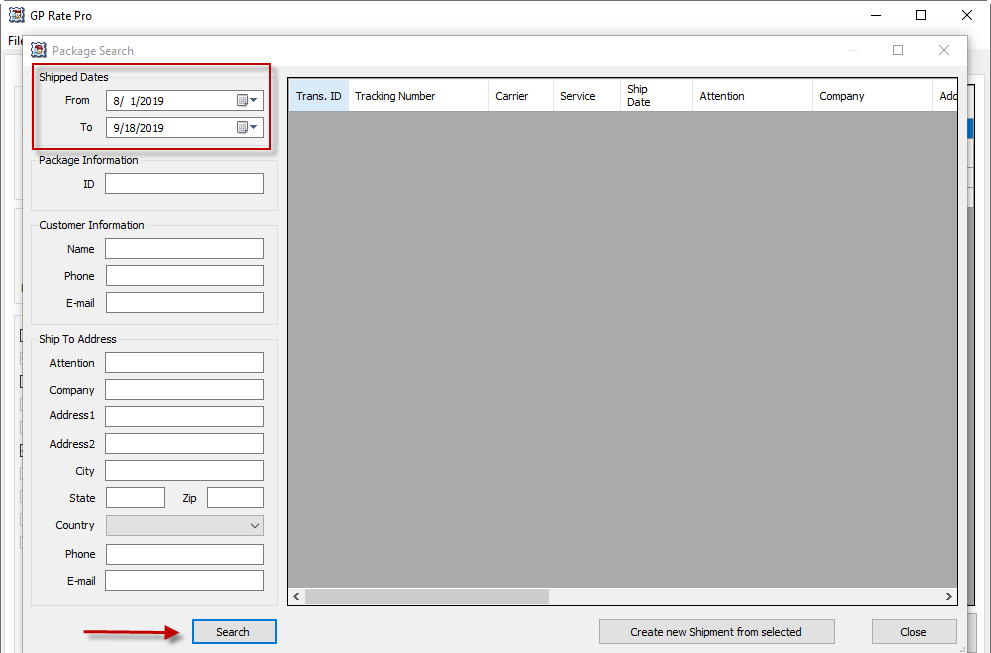
2. Enter Shipped Dates and all other information you have in order to find the shipment, then click Search.
 

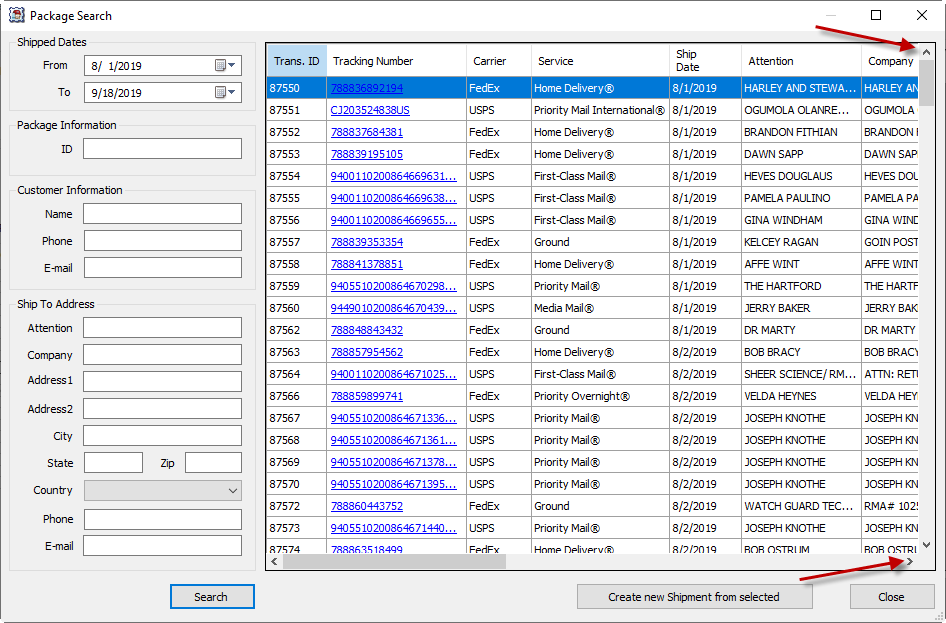
3. Search results will appear.  Pressing the up and down keys should allow you to scroll up and down the page you are viewing.
 

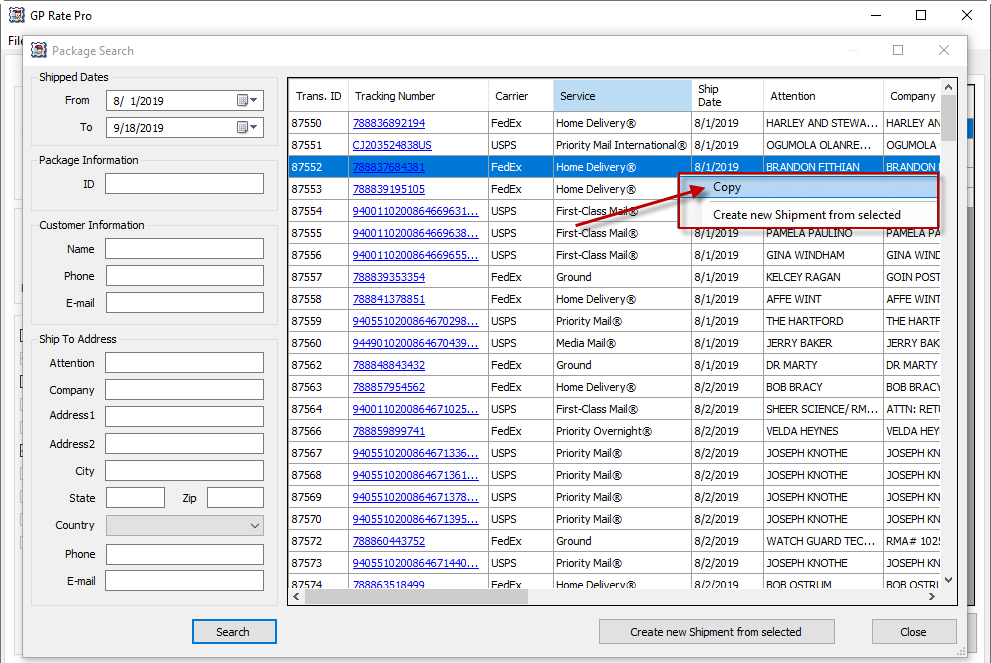
4. Right click on the cell and select copy.
 

What are your feelings
Updated on September 18, 2019

Fatal error: Uncaught wfWAFStorageFileException: Unable to verify temporary file contents for atomic writing. in /home/gpratepro/htdocs/gpratepro.com/wp-content/plugins/wordfence/vendor/wordfence/wf-waf/src/lib/storage/file.php:51 Stack trace: #0 /home/gpratepro/htdocs/gpratepro.com/wp-content/plugins/wordfence/vendor/wordfence/wf-waf/src/lib/storage/file.php(658): wfWAFStorageFile::atomicFilePutContents() #1 [internal function]: wfWAFStorageFile->saveConfig() #2 {main} thrown in /home/gpratepro/htdocs/gpratepro.com/wp-content/plugins/wordfence/vendor/wordfence/wf-waf/src/lib/storage/file.php on line 51