Notice: fwrite(): Write of 618 bytes failed with errno=28 No space left on device in /home/gpratepro/htdocs/gpratepro.com/wp-content/plugins/wordfence/vendor/wordfence/wf-waf/src/lib/storage/file.php on line 42
How to verify GP Rate Pro’s version number – gpratepro.com

How to verify GP Rate Pro’s version number

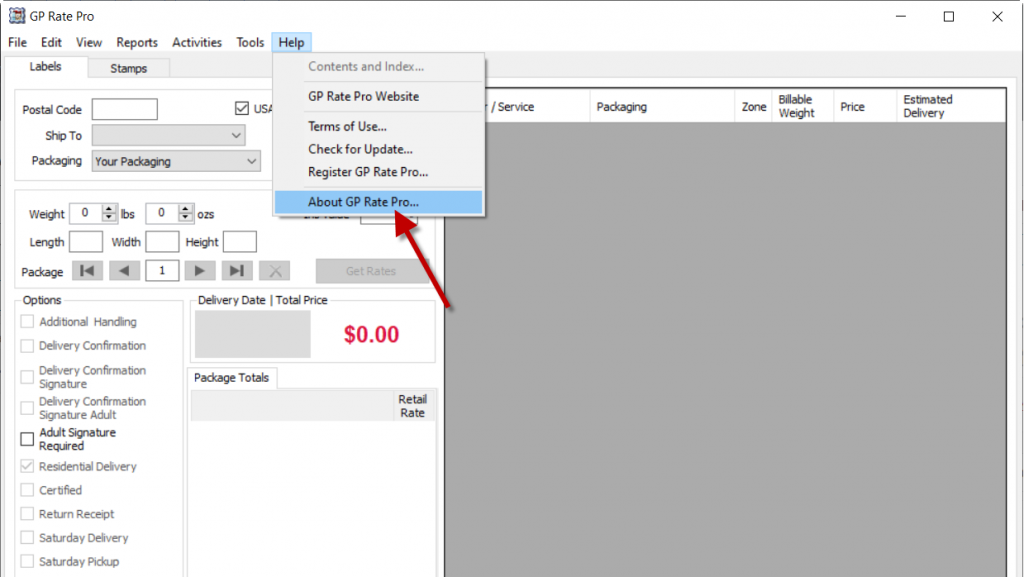
1. Open GP Rate Pro. Go to Help and click on About GP Rate Pro.

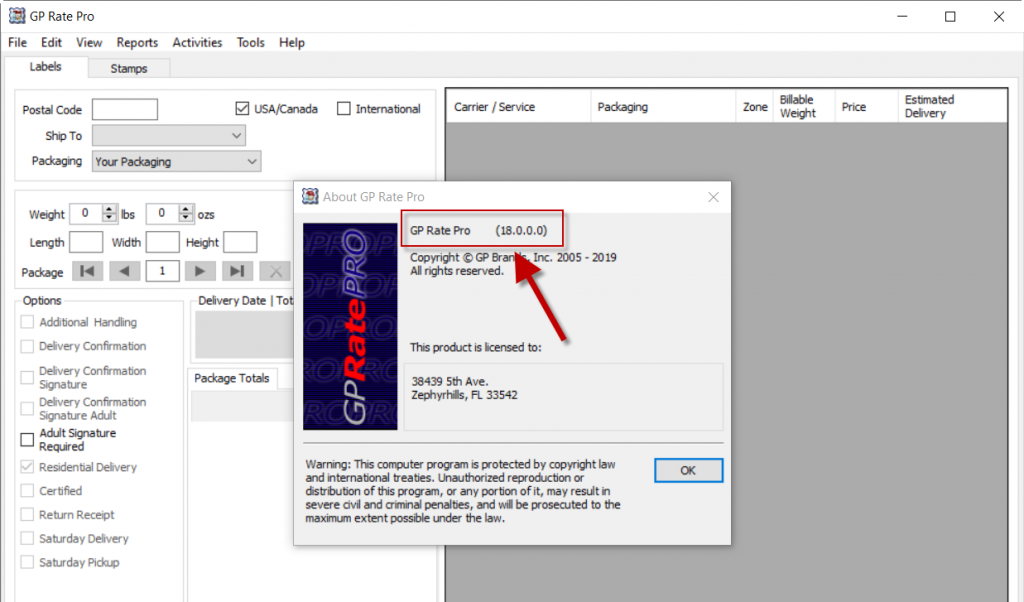
2. GP Rate Pro version number is shown at the top of the About GP Rate Pro window.
What are your feelings
Updated on April 21, 2020

Fatal error: Uncaught wfWAFStorageFileException: Unable to verify temporary file contents for atomic writing. in /home/gpratepro/htdocs/gpratepro.com/wp-content/plugins/wordfence/vendor/wordfence/wf-waf/src/lib/storage/file.php:51 Stack trace: #0 /home/gpratepro/htdocs/gpratepro.com/wp-content/plugins/wordfence/vendor/wordfence/wf-waf/src/lib/storage/file.php(658): wfWAFStorageFile::atomicFilePutContents() #1 [internal function]: wfWAFStorageFile->saveConfig() #2 {main} thrown in /home/gpratepro/htdocs/gpratepro.com/wp-content/plugins/wordfence/vendor/wordfence/wf-waf/src/lib/storage/file.php on line 51