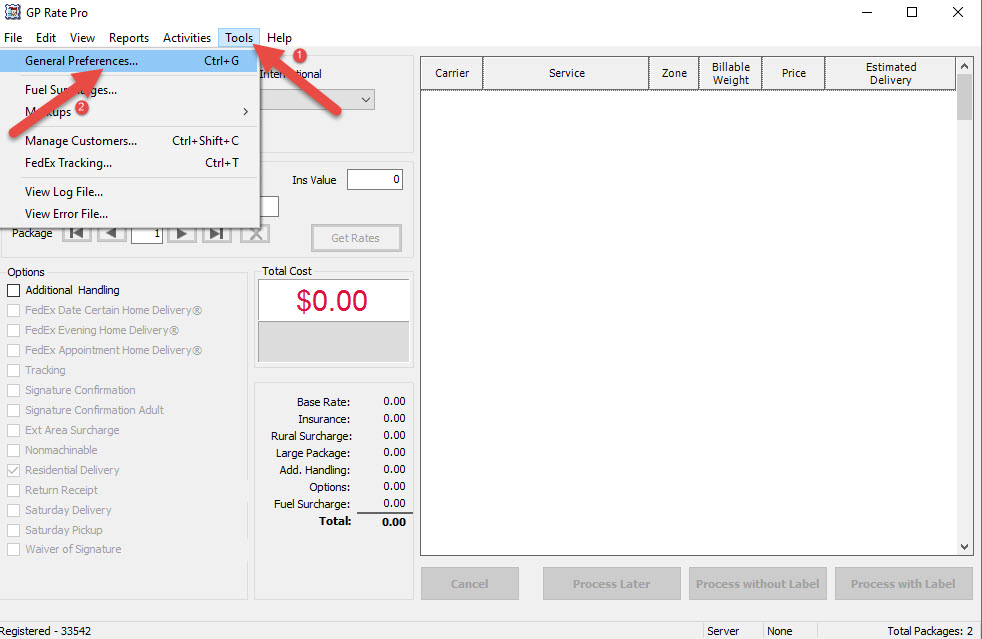
How to update Tier Levels

  1. Go to Tools, then select General Preferences.

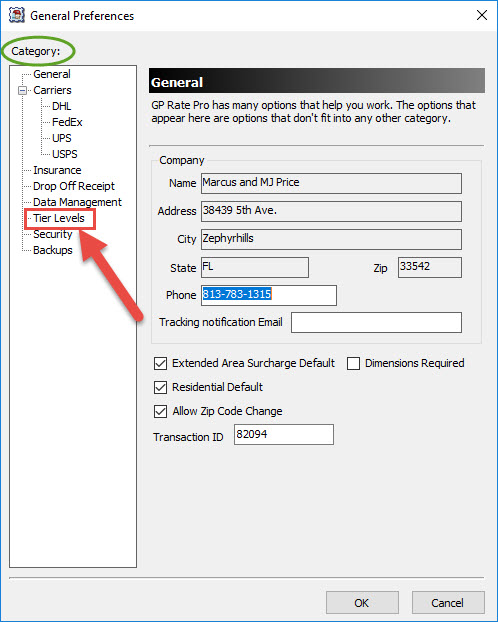
2. Select Tier Levels in the Category section.

3. Enter your carrier Tier levels by clicking on down arrow and selecting a level from the drop-down list. Click OK to confirm.

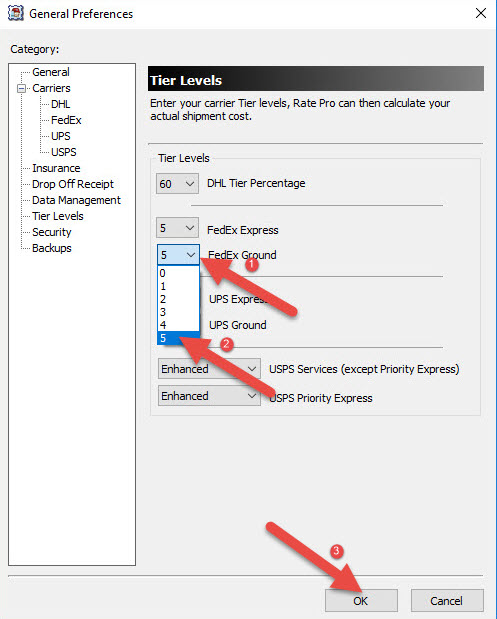
4. Your Tier levels have been updated.


What are your feelings
Updated on October 24, 2018

Fatal error: Uncaught wfWAFStorageFileException: Unable to save temporary file for atomic writing. in /home/gpratepro/htdocs/gpratepro.com/wp-content/plugins/wordfence/vendor/wordfence/wf-waf/src/lib/storage/file.php:34 Stack trace: #0 /home/gpratepro/htdocs/gpratepro.com/wp-content/plugins/wordfence/vendor/wordfence/wf-waf/src/lib/storage/file.php(658): wfWAFStorageFile::atomicFilePutContents() #1 [internal function]: wfWAFStorageFile->saveConfig() #2 {main} thrown in /home/gpratepro/htdocs/gpratepro.com/wp-content/plugins/wordfence/vendor/wordfence/wf-waf/src/lib/storage/file.php on line 34